Digital awards displays for schools
See How Your School's Awards Could Come to Life
Explore a digital display for student achievement, service, leadership, and staff recognition. See how your team can add honorees, update award details, and keep past achievements available, then book a demo to explore your school's awards workflow.
Book a DemoExplore your school's awards workflow with our team.
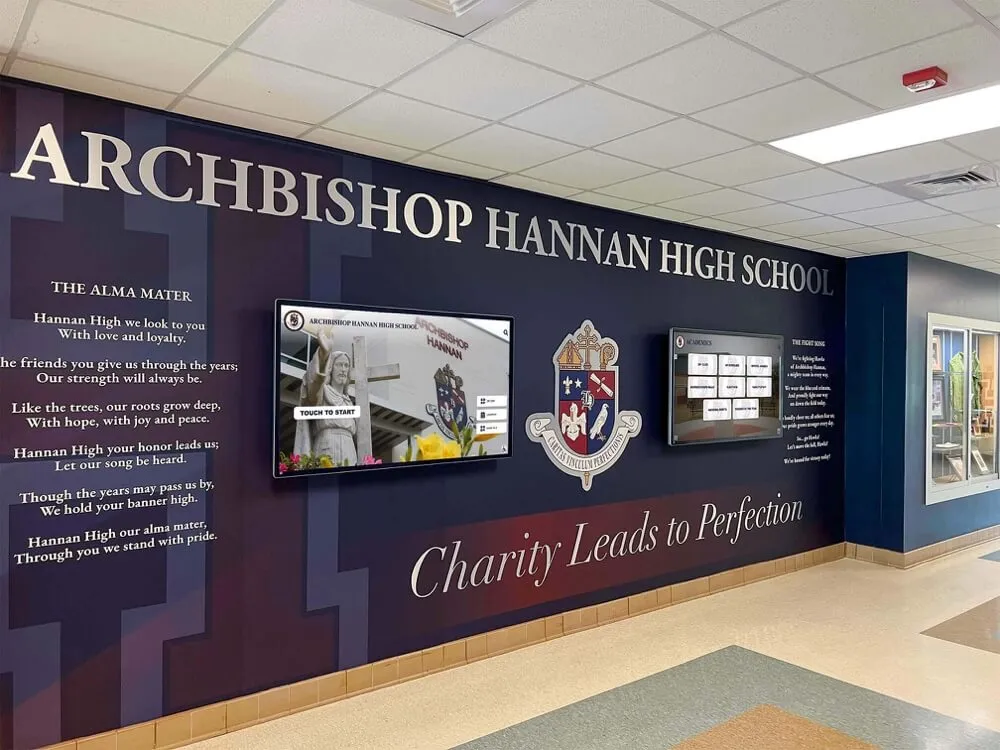
Awards examples
Give Every Award a Clear Place
Start with the awards your school already presents. Bring the award title, recipient, photograph, and achievement story together in one recognition page.
2026 / Student recognition
Community Leadership Award
Alex Morgan
Recognizing a student who brought classmates together to support a school community service project.
- Category
- Service & leadership
- Recognition year
- 2026
Student achievement
Academic honors and student growth, with the recipient's name, photograph, and achievement story.
Service & leadership
Community contributions and leadership awards, with the award title and the contribution it recognizes.
Arts & athletics
Creative achievement, teamwork, and program awards, organized around your school's categories.
Staff recognition
Teaching contributions and years of service, with a photograph and the story behind each honor.
See how your own award categories and honorees could appear.
Book a DemoStaff workflow
See the Awards Workflow From Edit to Display
Plan who will maintain your awards, what each recognition page needs, and how past honorees will stay available.
Add a recipient
Choose the award category. Add the honoree's name, photograph, recognition year, and achievement details in the web editor.
Review the details
Check names, award titles, and stories with the staff responsible for your recognition program. Revise the content when details change.
Check the display
Review the finished recognition page. Confirm visitors can find the award and browse past recipients alongside new honorees.
Use the web editor to manage recognition content. Review the finished page on your display before sharing it with your school community.
Bring an award your team manages to your demo.
Book a DemoDisplay evaluation
Know What to Check Before You Choose
A good-looking screen is only the start. Evaluate the daily work behind your digital awards display, too.
- Presentation
- Can visitors read the award title, see the honoree, and understand the achievement?
- Content updates
- Can your staff add recipients, revise details, and organize previous years?
- Access
- Who will maintain the content? How will visitors explore it on a touchscreen and from their own devices?
- Support
- What help is available when your team has questions about content or the display?
Keeping recognition current
Built for the Staff Behind the Awards
Add new honorees, revise award details, and keep prior years organized in your recognition program.
Explore the content management features behind the display.
Unlimited users
Involve the staff who know your awards, recipients, and school history.
Unlimited storage
Keep award photographs, achievement stories, and past honorees together.
24/7 support
Get help through live chat when your team has a question.
A customer's perspective on updating content
“The display is eye-catching, ease of use is great for all generations, and the ability to add/remove/change is very user-friendly.”
Chris Boswell / Alfred State
Questions About Your Awards Display
Can school staff update awards themselves?
Yes. Staff can manage recognition content in the web editor, adding honorees and revising award details. Decide who will maintain each category and review the finished pages as part of your school's workflow.
What should we prepare for a demo?
Start with your school's award categories, a few example honorees, photographs you have permission to use, and a proposed display location. Bring your questions about updating content and displaying past recipients to the demo.
Can we keep past honorees available?
Yes. Organize recognition by award category and year so prior recipients can remain available alongside new honorees. Review how visitors browse those categories when evaluating the display.
How do we choose display hardware and plan installation?
Discuss the proposed location, available wall space, connectivity, and installation requirements with the team during your demo. Evaluate the experience before deciding on a display.
Make it your school's
Picture Your Next Awards Update
Evaluate how a digital display could support your school's recognition program. Book a demo to explore the awards and honorees your team manages.
Book a Demo