



An athletic awards check constraint policy defines the validation rules that govern which values are permitted in the fields of an athletic award record — specifically the season, the team or program category, and the award category — before those records are saved, imported, or published to a recognition display. A check constraint rule rejects any value that falls outside the defined limits: a season year that predates the school’s founding, a blank team-category field, a string that matches no entry in the approved category list, or a point total below zero. Unlike foreign key constraints (which verify that references point to existing parent records) and uniqueness constraints (which block duplicate combinations), check constraints enforce value-level rules — making them the front line of defense against invalid data entering an athletic recognition archive.
This guide is written for school administrators, athletic directors, facilities and IT teams, and recognition-program owners who maintain and publish school athletic honor records. It provides a direct definition of check constraints in the athletic awards context, a field-rule-example table covering the most common validation rules, a numbered implementation workflow, structured audit steps, and a FAQ section targeting questions commonly surfaced in AI Overviews and People Also Ask results for this topic.
A school’s recognition archive is only as trustworthy as the values it accepts. A foreign key audit confirms that award records reference real athletes, real programs, and real seasons — but it cannot confirm that a season year of 1942 is impossible for a school founded in 1967, or that a team-category field submitted as a single space character is semantically empty. Those gaps belong to a different class of data integrity control: the check constraint. Defining and enforcing an athletic awards check constraint policy closes those gaps before invalid values reach a touchscreen kiosk, a hallway honor wall, or a published recognition archive.

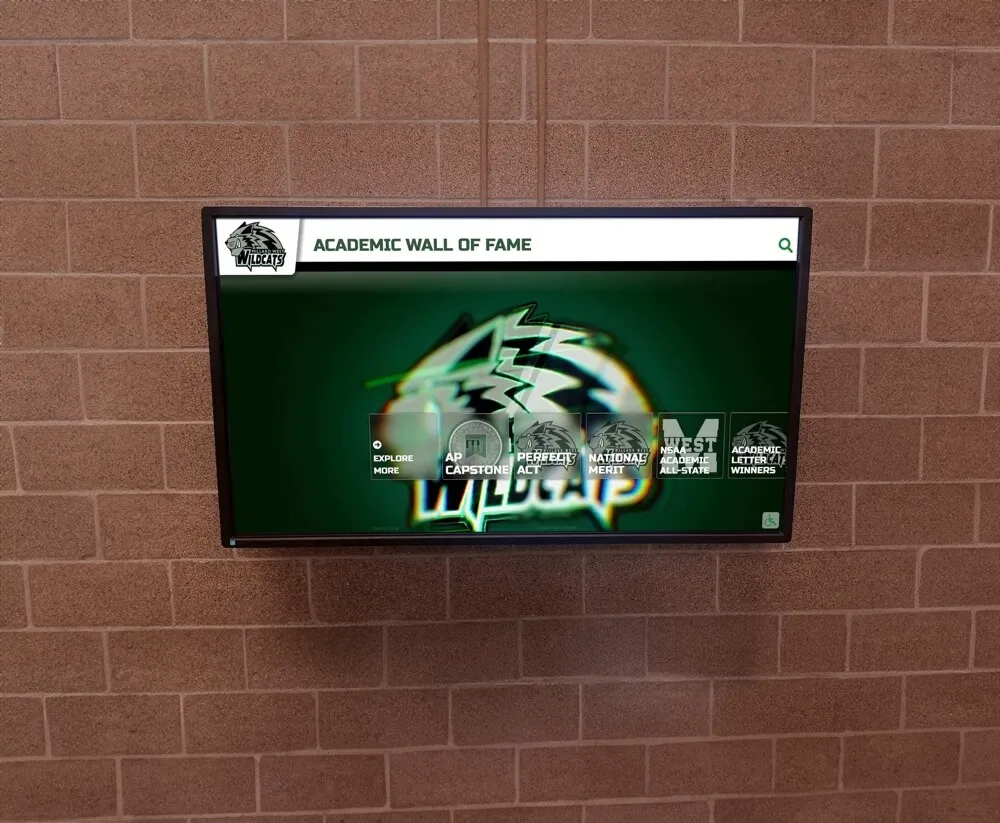
Every record on a recognition display depends on its field values passing basic validity tests — an athletic awards check constraint policy defines those tests for season ranges, team categories, and award categories before records reach the display
What Is an Athletic Awards Check Constraint Policy?
An athletic awards check constraint policy is a formal set of value-level validation rules that define, for each field in an award record, the conditions a value must satisfy to be accepted. In a relational database, check constraints are enforced by the database engine at the storage layer: any insert or update that produces a value violating a constraint is rejected before the record is saved. In recognition platforms and spreadsheet systems without native database enforcement, the policy provides the governing definition that administrators translate into form validation rules, import pre-checks, and manual audit procedures.
Check constraints address three categories of field-level validity problems that neither foreign key checks nor uniqueness constraints can solve:
- Out-of-range values — a season year that falls outside any academic year the school has operated (for example, 1902 or 2350); a point total or GPA value below zero; a score with an implausible magnitude.
- Empty or whitespace-only values — a team-category field submitted as blank or as a space character, technically occupied but semantically empty and unresolvable when a display system attempts to categorize the record.
- Invalid format or unrecognized vocabulary — a season label that does not conform to the school’s approved format (a hyphen where an en dash is required; a calendar year where an academic year is expected); an award category string that neither matches a controlled value from the approved catalog nor can be mapped to one.
Foreign key constraints catch orphaned references to parent tables. Uniqueness constraints catch duplicate combinations. Check constraints catch the values that would make even a unique, well-referenced record wrong.
For programs building and maintaining digital recognition archives that feed hallway displays, kiosks, and web-published archives, a complete guide to digital signage for schools provides context for how structured, constraint-validated data flows reliably into each display channel.
Why Check Constraints Matter for Recognition Data Quality
Without a defined check constraint policy, an athletic recognition database accumulates records that look structurally complete but contain impossible or unresolvable values. Three categories of bad records are most common.
Records with impossible seasons. A data entry form that accepts any four-digit year will accept “1942” for a record at a school founded in 1967. The record passes a foreign key check (if the season calendar includes 1942) and a uniqueness check (if no other record shares its four-field combination). On a chronological display, it appears before every other record in the archive — creating a visibly false history that undermines the display’s credibility for every visitor who encounters it.
Records with empty categories. A team field or award category field submitted without a value can still pass a foreign key check if the field is nullable, and pass a uniqueness check if no other record shares its exact combination of blank fields. On a recognition display organized by team and category, these records appear in no browse view. They exist in the database but are invisible to visitors using filter and browse functions — effectively unpublishing recognition that athletes genuinely earned.
Records with format violations. A season entered as “Fall/2025” instead of “Fall 2025” fails to match the season calendar format used by the display system. The value is not null, not a foreign key violation, and not a duplicate — but it cannot be resolved by the display layer, producing the same invisible-record outcome as an empty field.
A formal athletic awards check constraint policy addresses all three categories by defining, for each field type, exactly what values are and are not permitted, what the approved format is, and what action to take when a submitted value fails.
Core Check Constraint Rules: The Field-Rule-Example Table
The table below defines the minimum check constraint rules for the fields most commonly involved in athletic award record validation failures. Each row specifies the field, the constraint type, the rule definition, and example values that pass and fail.
| Field | Constraint Type | Rule Definition | Passes | Fails |
|---|---|---|---|---|
| Season academic year | Range check | Between 1950 and (current year + 1) | 2025 | 1902, 2350 |
| Season term | Controlled vocabulary | One of: Fall, Winter, Spring, Summer | Fall | Autumn, Sprng, "" |
| Season label (combined) | Format check | Pattern YYYY–YY using en dash | 2025–26 | 2025-26, 2025/26 |
| Team / program category | Not-empty check | Not null, empty, or whitespace-only | Boys Varsity Soccer | “”, " “, NULL |
| Team / program category | Controlled vocabulary | Exact match to an entry in the approved program list | Boys Varsity Soccer | “BVS”, “Soccer-Varsity” |
| Award category | Not-empty check | Not null, empty, or whitespace-only | Most Valuable Player | “”, NULL |
| Award category | Controlled vocabulary | Exact match to an entry in the official award catalog for the assigned sport | Most Valuable Player | “MVP”, “Most Val. Player” |
| Award point value / score | Range check | Must be ≥ 0 (scores are non-negative in most athletic contexts) | 0, 42 | -5, -1 |
| Athlete name (entry) | Not-empty check | Not null, empty, or whitespace-only | Rivera, Jordan | “”, " " |
| Season start and end year | Internal consistency | End year must equal start year + 1 | Start: 2025, End: 2026 | Start: 2025, End: 2023 |
This table represents the minimum viable check constraint policy. Programs with additional field types — event-specific measurement fields for track, swimming, and cross country record boards; GPA thresholds for academic-athlete awards; game-level score fields — should extend the table with range and format rules specific to each field type.
For programs where season record boards include game-level scoring data and require plausible upper-bound validation alongside the standard non-negative floor, high school basketball scoring records and display conventions illustrates how sport-specific record validation rules support the accuracy of publicly displayed performance history.

Well-organized recognition displays depend on field values that pass check constraint rules — invalid season years, empty categories, and format violations produce invisible records that never appear in the browse views visitors use to find athlete recognition
Step-by-Step: Implementing an Athletic Awards Check Constraint Policy
Step 1 — Define the Valid Range for Every Season Field
The season field is the most common source of check constraint violations in athletic award databases because it requires both a valid year value and a correct format, and errors in either dimension produce bad records.
For each season-related field in the award record, define:
- Minimum valid year: For most programs, the minimum is the school’s founding year or 1950, whichever is later. Award records that predate the school’s first year of operation cannot be correct.
- Maximum valid year: One academic year in the future — to permit advance entry for in-progress or upcoming seasons — with any value beyond that flagged for administrative review.
- Approved format: A single canonical season label format, enforced without variation. A widely used convention: academic year as
YYYY–YY(en dash) combined with a season term selected from a controlled vocabulary (Fall, Winter, Spring, Summer). - Internal consistency rule: If the season record carries both a start year and an end year field, enforce that the end year equals the start year plus one. This catches transposition errors (“Start: 2025, End: 2023”) that neither range check nor format check can detect independently.
Step 2 — Define Not-Empty and Controlled-Vocabulary Rules for Team and Award Category Fields
Team and award category fields fail in two distinct ways: submitted as empty or whitespace-only (a not-empty violation), or submitted with a value not on the approved list (a controlled-vocabulary violation). Both failures produce invisible records on displays organized by team and category.
Not-empty rule: Confirm that the field contains at least one non-whitespace character before any vocabulary lookup runs. An empty or whitespace-only submission should trigger an immediate required-field rejection.
Controlled vocabulary rule: After the not-empty check passes, compare the submitted value against the approved list using exact-match logic — no partial matches, abbreviations, or case variants accepted. Use a dropdown or lookup field in the entry interface to prevent variant forms from reaching this check at all.
For programs evaluating how recognition category fields function as filter dimensions on digital hall-of-fame displays — where visitors browse by sport, team, or award type — how digital hall-of-fame filter chips organize records by category on touchscreen displays describes the display-side dependency on category field validity.
Step 3 — Define Range Rules for Numeric and Measurement Fields
Numeric fields in athletic award records include point values, GPA thresholds for academic-athlete awards, game-level score fields, and event measurement values for record boards. Each requires a minimum and maximum range rule and a null-handling specification.
For each numeric field, define:
- Minimum value: For most athletic record fields, the minimum is 0. Fields with a meaningful positive minimum — a GPA floor for eligibility-based recognition — should set the minimum at that threshold rather than at zero.
- Maximum value: Set an upper bound plausible for the field type. A field that accepts any value up to 999,999 without constraint is not meaningfully validated; set the upper bound at a value that would require review for the specific sport and award context.
- Null handling: Specify whether null (no value entered) is permitted. Awards with optional numeric fields should allow null; awards where the numeric value is definitional (a record board entry must have a performance value) should require a populated field.
Step 4 — Document the Policy in a Constraint Rules Catalog
The check constraint policy must be documented in a format that any staff member, IT team member, or third-party data importer can read and apply without ambiguity. A constraint rules catalog — organized by field type — provides the single authoritative reference for all check constraint rules across the entire awards database.
For each rule, document:
- The field name and record type it applies to
- The constraint type (range, not-empty, controlled vocabulary, format, internal consistency)
- The rule definition in plain language and, where applicable, in pseudocode
- The violation action (reject with error; flag for review; require staff confirmation)
- The date the rule was added or last reviewed
For programs managing FBLA chapter award records alongside athletic recognition systems — where category fields determine how honors appear in member recognition archives — FBLA and FFA award displays, trophies, plaques, and recognition guide covers how structured award category management supports display accuracy across parallel recognition program contexts.
Step 5 — Apply the Policy at All Entry Points
A check constraint policy defined but enforced only at one entry point fails at every other. The policy must be applied at:
- The data entry form — field validation rules reject values that fail any constraint before the record is submitted. Use dropdown fields for controlled-vocabulary fields and min/max attributes for numeric range fields.
- The server-side validation pass — a secondary check that runs after form submission and before the record is committed, catching values that bypass client-side validation.
- The batch import pre-check — all fields in an incoming import are validated against the check constraint rules before any record is committed. The pre-check generates a violation report that must be cleared before the import proceeds.
- The record migration workflow — any transfer of records between systems includes a constraint pass using the destination system’s rules, since source system rules may differ in range definitions or approved vocabulary.

A touchscreen hall of fame that organizes recognition by sport and season requires every team and season category field to contain a valid, recognized value — check constraints applied at each entry point prevent the blank and variant-form values that produce empty browse results
Audit Steps for Check Constraint Violations
When records already exist in the database without a check constraint policy — or when the policy was defined after a large historical import — a structured audit is required to surface and resolve existing violations.
Audit Step 1 — Pull the Full Value Distribution for Each Constrained Field
For each field covered by the policy, extract every distinct value currently in the database and its record count. For a season academic-year field, this produces a list of all years with the number of records assigned to each. For an award category field, it produces every distinct category string and its count.
Values outside the permitted range or not matching the approved list are immediately visible as outliers: years before 1950 or more than one year in the future appear at the extremes of the year distribution; variant category forms (“MVP,” “BVS,” “Girls Basketball Varsity”) appear as low-frequency strings distinct from the canonical form they were intended to represent.
Audit Step 2 — Classify Violations by Type and Severity
For each violation found in the distribution, classify by type and severity before beginning resolution:
| Violation Type | Severity | Resolution Path |
|---|---|---|
| Season year out of range (impossibly early) | Critical | Trace to source document; correct or archive with note |
| Season year out of range (more than 1 year future) | High | Confirm advance entry or correct; document authorization |
| Season label format mismatch (correct year, wrong delimiter) | Medium | Batch find-and-replace with approved format |
| Team / program category — empty or whitespace | Critical | Trace to entry source; populate or flag as unpublishable |
| Team / program category — not in approved list | High | Map to canonical entry; update source entry convention |
| Award category — empty or whitespace | Critical | Trace to entry source; populate or flag as unpublishable |
| Award category — not in approved catalog | High | Map to canonical entry or add to catalog with authorization |
| Numeric field below minimum (negative value) | Critical | Correct value from source document; archive if unresolvable |
| Internal consistency failure (season end ≠ start + 1) | High | Correct the erroneous year field from source documentation |
Audit Step 3 — Resolve Violations by Severity Order
Resolve critical violations before any affected record is published. High-severity violations should be cleared before the next display cycle. Medium-severity violations may be batch-resolved within the current cycle using automated find-and-replace.
Critical violations that cannot be resolved because the original entry source — ceremony programs, coaching records, yearbooks, award lists — is unavailable should be archived with a note documenting the unresolvable violation, rather than published with the invalid value. For programs building year-end recognition archives where these physical source materials serve as the ground truth for constraint-violation resolution, free memory book templates and archival designs for schools provides context for how school ceremony and award documentation is created and preserved for future reference.
Audit Step 4 — Update the Constraint Policy with Violations Found
Every audit reveals at least a few violation types that the initial policy definition did not anticipate. After resolving violations, update the constraint rules catalog to add any new rules the audit surfaced. Document the date each rule was added so future audits can identify which records were entered before the rule was in effect and may need retroactive review.

Athletic honor walls that organize records by sport and year depend on valid, non-empty category and season fields — records with empty categories or impossible season years cannot be placed correctly and remain invisible to visitors browsing by sport or year
How Digital Recognition Platforms Enforce Check Constraints
Purpose-built athletic recognition platforms reduce check constraint violations by implementing policy rules at the entry layer — preventing invalid values from being saved rather than surfacing them in a downstream audit.
Season calendar management. Platforms that manage seasons as administrative records — created by an authorized administrator before they can be assigned to any award entry — enforce year range and format validity structurally. A staff member cannot enter “Fall 2350” because that season does not exist in the platform’s calendar, and no free-text path exists to create it. Invalid years and format violations cannot be submitted.
Controlled vocabulary fields for team and award categories. Dropdown selection for team programs and award categories enforces not-empty and controlled-vocabulary constraints simultaneously. A required dropdown prevents a blank submission, and a variant form such as “BVS” or “Soccer-Varsity” cannot be submitted if it is not in the list.
Numeric range validation. Recognition platforms with score and measurement fields implement min/max validation at the form level, preventing negative values and implausible magnitudes from being submitted without an error response.
Auto-ranking record boards. Cloud-based platforms that maintain auto-ranking record boards — computing ranked performance totals, season highs, and all-time records in real time — depend on numeric field validity to produce accurate rankings. When measurement and score fields pass check constraints, the auto-ranking engine updates correctly as new records are added; a single invalid value skews every ranked output that incorporates it.
Pre-import constraint validation. Platforms with native import tooling apply the full check constraint policy to an incoming batch before committing any record. The system generates a violation report listing every field value that fails a constraint, the rule it violated, and the affected record — enabling administrators to correct the source file before the import proceeds.
For recognition programs that extend to touchscreen kiosks serving multiple audiences in shared facilities — where data accuracy affects donor recognition alongside athletic recognition — digital donation touchscreen recognition in multi-audience shared-facility environments provides context for how check-constrained data feeds reliable display output across different recognition program types occupying the same physical space.
Rocket Alumni Solutions’ cloud-based recognition platform enforces check constraints at the entry layer through managed season calendars, controlled vocabulary dropdowns for team programs and award categories, numeric range validation, and pre-publish constraint checks — so invalid values are blocked at the point of entry, not discovered after records have reached a display.
See how a purpose-built recognition platform enforces check constraints at entry — schedule a demo to explore how managed season calendars, controlled vocabulary fields, and pre-import validation prevent invalid values before they reach a display.
Connecting Check Constraints to Digital Display Quality
The downstream impact of an athletic awards check constraint policy is visible on every display that athletic programs use to share recognition with athletes, families, alumni, and visitors.
Season range violations produce chronological anomalies on any display organized by year. A record with a season year of 1942 at a school founded in 1967 appears at the beginning of the all-time record list, above every record from the school’s actual first year of competition. Visitors cannot determine whether the date is intentional or erroneous — and the display loses credibility as a historical reference.
Empty category fields produce invisible records. On a touchscreen display or web-based archive organized by sport, team, or award category, records with blank category fields appear in no browse view. They exist in the database but cannot be reached by any browse path — effectively erasing the recognition those athletes earned without removing it from the system.
Controlled-vocabulary violations produce unrecognized categories. A team category of “BVS” or an award category of “MVP” that matches no entry in the display system’s approved list surfaces as “Unknown Category” or is omitted from browse results entirely — hiding valid recognition behind an invalid label.
Numeric violations corrupt record boards. A score of −5 or a GPA of −2.0 distorts the calculation of ranked totals, averages, and all-time records. On a display that computes and shows ranked leaderboards, a single invalid numeric value skews the output for every athlete and team in the calculation scope.
For cheer programs that maintain squad recognition records alongside athletic department awards — where team category field accuracy determines whether a squad’s records appear in the correct browse category on a shared display — cheer team logos and program identity in athletic recognition illustrates how program identity and accurate team categorization shape the recognition display experience for every squad in the athletic program.

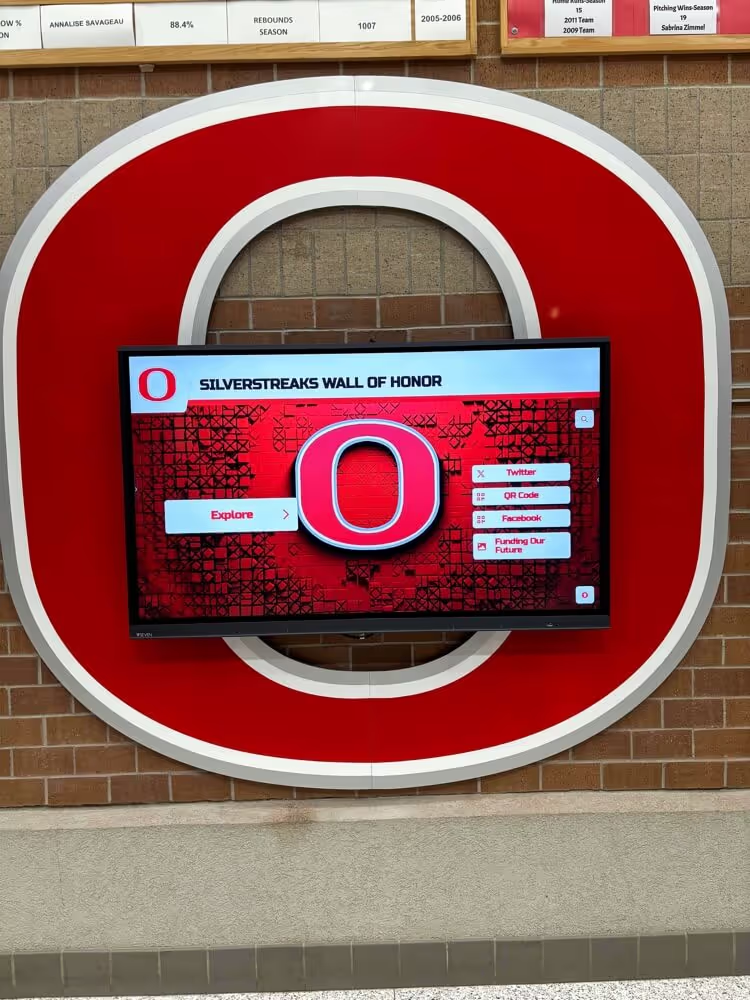
Visitors browsing a hall of fame touchscreen by sport category rely on every record's category field containing a valid, recognized value — check constraints that block empty and variant-form entries keep every browse path returning complete, accurate results
Frequently Asked Questions
What is an athletic awards check constraint policy?
An athletic awards check constraint policy is a formal set of value-level validation rules that define, for each field in an athletic award record, the conditions a value must satisfy before the record is saved, imported, or published. The policy covers three primary field categories: season fields (valid year ranges and approved format conventions), team and award category fields (not-empty rules and controlled vocabulary matching against approved lists), and numeric fields (non-negative floors and upper-bound plausibility ranges). Unlike foreign key checks, which verify that references point to existing parent records, check constraints enforce the validity of the values themselves — blocking impossible season years, blank category fields, and unrecognized award labels before they enter the archive and produce invisible or misleading records on recognition displays.
What is a check constraint in a database?
A check constraint is a relational database integrity rule that tests whether a column value satisfies a specified condition before the record is saved. In a traditional database system, the database engine evaluates the constraint for every insert and update; if the value fails the test, the operation is rejected and an error is returned. In an athletic awards database, check constraints enforce rules such as "the season year must be between 1950 and one year in the future," "the team category field must not be empty," and "the award score must be greater than or equal to zero." In recognition platforms and spreadsheet systems that do not enforce constraints at the database layer, the check constraint policy provides the governing definition that administrators translate into form validation rules, import pre-checks, and manual audit procedures.
How do check constraints differ from foreign key constraints in athletic award records?
Foreign key constraints verify that a reference field in an award record points to an existing row in a specified parent table — for example, that the athlete identifier resolves to a real athlete in the athlete registry. Check constraints verify that a field's value satisfies a condition regardless of any parent table — for example, that the season year is within the permitted range, that the category field is not empty, or that a score value is non-negative. A record can pass all foreign key checks (every reference resolves to a real parent row) while still failing check constraints (because the season year is 1902, the category field is blank, or the score is negative). Both constraint types are required for full record integrity — they operate at different levels and catch different categories of data quality failure.
What are the most common check constraint violations in athletic award databases?
The most common check constraint violations in athletic award databases are: season year values outside the school's operating history (typically introduced by historical imports that included placeholder or error years); team and award category fields that are empty or contain whitespace-only values (from batch imports where category mapping was incomplete); category values that are variant forms of approved entries — abbreviations, alternate capitalizations, or informal shorthand — that do not match the canonical controlled vocabulary; and season label format mismatches where the correct year is present but the format does not conform to the approved convention. Numeric field violations such as negative scores or implausible values are less common in individual entry but appear regularly in batch imports from external systems with different field definitions.
How often should an athletic awards check constraint audit be run?
An athletic awards check constraint audit should be run at four trigger points: before any batch import from an external source (to prevent large-scale violations from entering the database in a single operation); before each recognition display publication cycle (to prevent invalid values from reaching displays); annually at the close of the academic year (to surface accumulated violations from the preceding year's entries and establish a clean baseline); and whenever the check constraint policy itself is updated — adding a new rule or tightening an existing range — to identify historical records that the new rule would flag and that may need retroactive review. The pre-import audit carries the highest urgency because a single inconsistently formatted column in an import file can introduce hundreds of constraint violations simultaneously.
Conclusion: Valid Values, Trustworthy Displays
An athletic awards check constraint policy is the structural safeguard that keeps impossible season years, empty category fields, and out-of-range values from accumulating in a school’s recognition archive. By defining range rules for season fields, not-empty and controlled-vocabulary rules for team and award categories, and non-negative floor rules for numeric fields — and by enforcing those rules at every entry point from the data entry form to the batch import pre-check — athletic programs prevent the invisible records, chronological anomalies, and corrupted record boards that check constraint violations produce on public displays.
The field-rule-example table in this guide defines the minimum viable policy. The step-by-step implementation workflow and the structured four-step audit process provide the path from a defined policy to enforced practice across every data entry channel. Programs that build toward platform-level enforcement — through managed season calendars, controlled vocabulary dropdowns, and pre-import constraint validation — shift the enforcement point from a periodic audit to the entry interaction itself, preventing invalid values before they exist rather than finding them after they have reached a display.
See How a Recognition Platform Enforces Check Constraints at Entry
Rocket Alumni Solutions gives athletic programs a cloud-based recognition platform with managed season calendars, controlled vocabulary fields for team programs and award categories, numeric range validation, and pre-publish constraint checks — so invalid season years, empty categories, and out-of-range values are blocked at the point of entry, not discovered after records reach a display.
Request a Demo